Give technicians one focused workspace for the entire job – from clock-in to completed case – without sending them through multiple systems.
The right service information, already matched to the vehicle
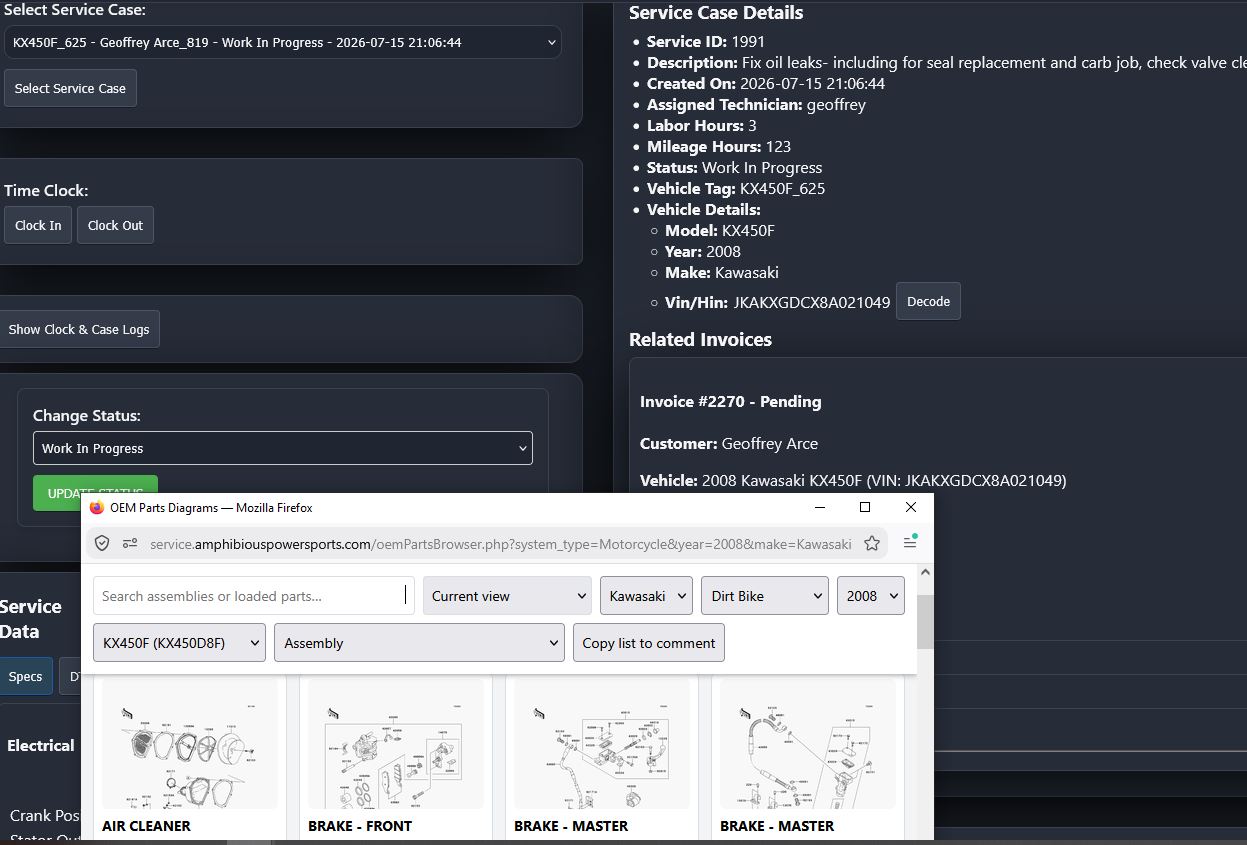
Tech Portal gives technicians instant access to commonly used specifications and complete OEM parts diagrams automatically loaded for the subject vehicle. That means less searching, fewer mismatched lookups, and more time spent completing the work.
From OEM diagram to the correct parts order
While viewing an OEM diagram, the technician can build a list of the parts needed for the repair. Shopwerks places that list into a comment on the case ticket for the service writer to review, helping ensure the correct parts are ordered the first time.
- Clock in and out, switch jobs, and see assigned service cases.
- Review case details and invoiced line items from any device.
- Add comments and photo attachments for the service writer.
- Access commonly used specifications and vehicle-specific OEM diagrams instantly.
- Build a needed-parts list from the diagram and send it directly to the case comments.
- Mark work complete while Shopwerks calculates efficiency, quality, flag-rate, and hourly-pay metrics behind the scenes.
Tech Portal is optimized for phones, tablets, and desktop computers. Shopwerks Pro includes the complete Tech Portal experience; Shopwerks Basic includes a streamlined interface without service specifications.